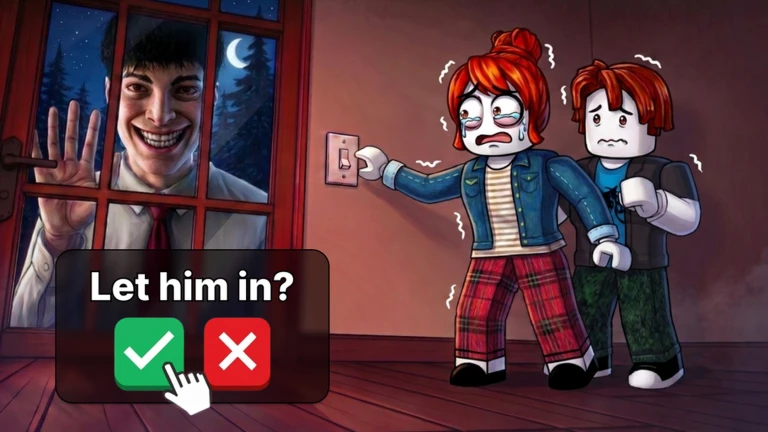
Learn the camera feeds and night-vision control before pressure builds. When a visitor arrives, pause the current chore, hear the whole request, identify whether the clue belongs outside, in a room, on camera, under night vision, or in audio, and choose caution when the required evidence is missing.
Learn the evidence tools before the first urgent decision
The official game premise confirms the real objective: unexpected visitors arrive, some are not what they claim, and the player must decide whom to trust to survive the night. Before a caller interrupts, locate the controls for changing camera feeds and toggling night vision in the current client. Identify which feed covers the doorstep, yard, and nearby vehicles. Keep audio on when possible. The checked sources do not establish one permanent binding table for every device, so follow the live prompts rather than importing a key from an older video.
- Find the doorstep, yard, and vehicle views.
- Test night vision once before a visitor requires it.
- Confirm that camera audio is audible.
- Use current on-screen controls for your device.
Run chores in short, interruptible blocks
Treat chores as background progress, not a tunnel that hides visitor information. Start the current prompt and learn the nearby room, but stay ready to pause when someone arrives. the reviewed same-game source has a separate dated chore checklist, yet it also warns that task counts and details are update-sensitive. Follow the prompt in your present run rather than forcing a fixed universal order. After a visitor is resolved, return to the exact chore step you left. This pause-check-return rhythm reduces mistakes caused by trying to complete a minigame while also judging a caller.
- Work on one prompted task.
- Pause when a visitor call begins.
- Resolve the evidence before reopening the chore.
- Resume from the visible prompt, not memory of an older checklist.
Listen to the whole story before selecting a clue
A visitor's appearance does not tell you which test matters. Listen for the claim: law enforcement may point outside to a vehicle; a firefighter's story points to the oven; a plumber's story points to a faucet; another case may depend on voice or night vision. Do not mix the Cat Lady's room-state check with the New Neighbour's camera check. Write or remember the named object, room, vehicle, or signal. Then open only the relevant case workflow. This keeps one person's reported tell from becoming a false rule for everyone.
- Capture the visitor name or alias.
- Identify the object, room, vehicle, sound, or view named by the story.
- Use one case file at a time.
- Do not judge clothing or character design alone.
Choose the correct evidence channel
The current specialist directory groups cases into outside or vehicle checks, room-state checks, normal camera checks, night-vision checks, audio checks, and identity warnings. Use outside views when the story involves a car, dog, or nearby event. Inspect the exact room object when the story names an oven, cat, or faucet. Use normal cameras for presence or movement and night vision only when the dated case file names a transformation or scale clue. Let the full line play when voice or camera audio is the evidence. More checking is not always better; the correct channel is better.
- Outside story: inspect the matching outdoor view.
- Room story: inspect the exact object.
- Visual case: compare the required camera mode.
- Audio case: listen long enough to hear the reported change.
Handle incomplete or conflicting evidence safely
If you cannot find the required feed, if the object is not visible, or if the sources disagree, do not convert the gap into a safe verdict. Repeat the check once, confirm that you selected the right visitor, and compare another applicable channel only when the case supports it. The City Maintenance record is deliberately marked source-split because current guides describe different water states. That is a reason for caution, not an invitation to choose the version you prefer. The guide can organize a decision, but it cannot guarantee survival or read the state of your server.
- Missing clue: repeat or choose caution.
- Wrong camera: return to the story and select the named view.
- Source split: do not issue a confident safe answer.
- New Update 3 character: hold exact tells until current evidence exists.
Return to the night loop without rushing
After the decision, close the case and return to the visible chore or house prompt. Avoid carrying the last visitor's clue into the next call. If pressure builds, reduce the task to three steps: finish one chore interaction, inspect one visitor signal, then continue. The official description says Update 3 added new characters, but it does not name their tells or rewards. A character missing from the dated directory should therefore trigger the general channel-first routine and a cautious outcome. Surviving one night through repeatable checks is a better first-session goal than memorizing unsupported details for every possible ending.
- Reset your mental checklist after every visitor.
- Resume the current prompt only after the decision.
- Use the general routine for an undocumented character.
- Do not claim a complete ending map from the current sources.
What changed across observed Roblox snapshots
This is our own dated history of the same public Roblox fields. It shows observed movement, not a prediction or an explanation for why players moved.
Source: QuestSignal immutable release history · newest five observations shown
Use the dedicated Home Alone (Anomaly) site for deeper tasks
QuestSignal keeps discovery and dated history here. The exact-identity specialist site owns deeper game-specific coverage, so we link to it instead of duplicating a thinner version.
What this guide does not assume
Roblox confirms the trust-and-survive premise and that Update 3 added new characters. Visitor clues, camera routines, and chore handling are dated community-supported workflows assembled by the reviewed same-game source; they are not official rules or guarantees. Exact new-character tells, ending counts, and universal device bindings remain unverified.
Refresh trigger: Refresh after an official character or mechanic note, a new checked visitor case supported by more than one current source, or a first-hand current-build capture that changes a camera, room, audio, or chore procedure.