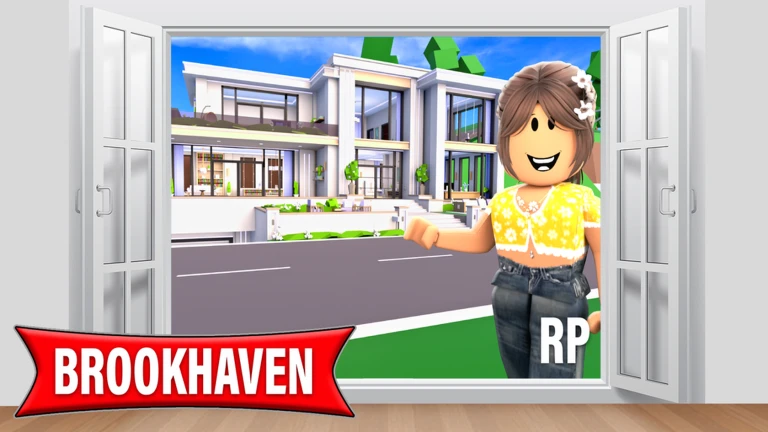
Choose systems in story order: define the role, select a location, claim an appropriate house only if the scene needs one, use a vehicle when travel matters, add a small set of tools or props, then decide whether public or private server controls fit the group.
Roles describe the story, not a power level
Brookhaven is an open-ended roleplay experience. The reviewed gameplay reference describes jobs and social roles as ways to communicate identity and narrative purpose rather than a normal level-and-reward track. Use a role label to answer what the character is doing in the current scene. A driver moves the cast, a host controls the meeting space, and a responder reacts to the problem. The label should remain changeable when the story changes. Do not infer income, exclusive equipment, authority, or a required route from a job name. When exact menu behavior matters, verify it in the live game. The stable reference point is that roles help other players understand the scene quickly.
Houses are scene containers
The official description makes owning and living in houses part of the experience, while the reviewed house guide organizes properties into different plot and house categories. Treat that taxonomy as a way to choose a scene container. A smaller home can keep a family scene readable; a work-themed or unusual space can establish a profession or event; a public building may be better when the group should not depend on one player's property access. Check capacity, entrance clarity, usable rooms, and the controls the host actually sees. Availability, entitlement, and special features are update-sensitive, so this reference does not promise that a named house is free, permanent, or accessible to every account.
Vehicles connect scenes and signal character
Vehicles support city exploration in the official premise and can make a role visible before any dialogue begins. Choose one because the story needs travel, transport, emergency response, or a recognizable character style. Before the group departs, name the destination and decide who follows whom. If a vehicle is unavailable or difficult for the group to use, switch to another transport choice without changing the objective. Avoid ranking vehicles by speed or status unless a current, controlled comparison supports it. For most roleplay tasks, reliable arrival and clear seating are more useful than an unsupported claim about the fastest option. Recheck the current menu after major updates because availability and presentation may move.
Locations provide context without requiring ownership
The gameplay reference describes a city filled with roleplay-oriented locations and interactable environments. Use a public location when its purpose already explains the scene: a service building for an appointment, a shop for an errand, or a street for travel and an encounter. This reduces setup time and lets new participants understand the premise from the environment. Scout the route before moving a large cast, choose a clear meeting landmark, and have a fallback location in case another group occupies the area. Exact building names, schedules, and interactive details can change, so use the live map and visible signage as the authority for the current session rather than treating a community list as permanent.
Tools, props, and emotes clarify actions
Community documentation groups tools, props, furniture interactions, and emotes among Brookhaven's roleplay systems. Their best use is communicative: a tool shows the task, a prop establishes the setting, and an emote makes an action readable without a paragraph of chat. Select the smallest set that supports the scene and remove anything that distracts from the focal action. Test controls before the group begins, especially when one player owns or manages the space. Do not claim that a prop changes progression, that a tool belongs to a particular job, or that every account has the same access. The current interface should decide what can be used; the story should survive if a decorative element is unavailable.
Public and private servers solve different problems
Public servers are useful for spontaneous encounters and a lively city, but the group must tolerate interruptions and players who do not share the premise. The official Roblox description currently lists private-server controls related to props, announcements, moderation, time, weather, themes, houses, vehicles, and free camera. Those categories make private servers a better fit for a scheduled scene that needs repeatable conditions or a designated organizer. Verify the live control panel before promising a feature, because the exact list and eligibility can change. Choose the server type according to the coordination problem, not prestige: simple stories can work publicly, while larger cast scenes benefit from explicit ownership and reset rules.
What changed across observed Roblox snapshots
This is our own dated history of the same public Roblox fields. It shows observed movement, not a prediction or an explanation for why players moved.
Source: QuestSignal immutable release history · newest five observations shown
What this guide does not assume
This reference maps stable roleplay system categories supported by the official listing and reviewed Brookhaven documentation. It does not publish an exhaustive house, vehicle, job, prop, secret, location, price, gamepass, or server-control inventory, and it does not treat community wording as creator authority.
Refresh trigger: Refresh after material changes to the official premise, house or vehicle menus, role and prop systems, map organization, or private-server controls, or when current play shows that a recommended scene-planning category no longer exists.