Open the exact MMZ experience from this page, confirm that the creator is Murder Mystery Lovers Community, and read the live role or action prompt before moving. Roblox officially classifies this universe as Survival and 1 vs All with up to 12 players, while current community clips show Sheriff language, a close-range attack prompt, shooting, a timer, and a Victory result. Those clips do not establish every role, control, map rule, or reward, so let the current server interface decide your action and record what changed at the end of the round.
Confirm the exact MMZ before following any guide
This guide is bound to Roblox universe 10625298442 and root place 84354155616278, created by Murder Mystery Lovers Community. That identity matters because MMZ is short, widely reused, and current search results still point to an older Roblox place with the same title. Open the official link from this page and check both the place and creator before using a code list, role explanation, weapon value, or redemption instruction. The current official record identifies the experience as Survival and 1 vs All and allows up to 12 players. It does not publish the names of all roles, the round objective, the controls, the map list, the inventory model, or a code system. If another page cannot bind its advice to this exact universe, treat it as a lead to investigate rather than a rule for your session.
Use the server prompt as the current source of truth
When a round begins, pause long enough to read the role card, action prompt, equipped item, timer, and any target or result text shown by the live client. Do not assume an MM2, MMV, or older-MMZ control simply because the games share murder-mystery vocabulary. Current MMZ-tagged community clips show a Sheriff label in one round, a firearm in another, and a close-range prompt that tells the player to equip an item and stand near someone to attack. Those are useful observations, but none of the checked clips publishes the nominated universe ID or a complete control table. Follow the exact wording displayed in your current server. If your screen does not match the clip, preserve the mismatch and use the live label instead of forcing an old instruction.
Build a one-round observation card
Record five fields before trying to optimize: the role text, visible item, action prompt, timer state, and end banner. This creates a small replayable record without pretending to know the whole game. If the interface labels a ranged role and displays an aim or fire instruction, test that instruction only when the target and safety state are clear. If it displays a close-range instruction, note whether the item must be equipped, how near the target must be, and whether the prompt changes before acting. If no weapon or attack prompt appears, do not invent one; concentrate on movement, cover, other players, and the result conditions visible on screen. A single round may reveal only one branch, which is still more reliable than merging three different games into one confident walkthrough.
Separate observed role behavior from permanent rules
The checked community material shows role-specific action rather than one universal combat loop. A Sheriff-titled clip shows a gun and a timed round, while another clip shows a nearby attack prompt and later a Victory banner. These observations support a practical distinction: identify your current role before choosing an action, and judge success by the client result rather than by a borrowed guide. They do not prove how roles are assigned, whether every round uses the same role set, how many shots or attacks are available, whether dropped weapons can be collected, or what happens after a miss. Keep those details unknown until a current capture shows the full transition from role assignment through result. This protects a beginner from treating one edited highlight as the complete rulebook.
Recover when a control or role claim conflicts
If a key, button, role name, or objective from another page does not appear in the nominated game, stop and check identity first. Confirm place 84354155616278, reconnect once to rule out a temporary interface problem, and compare the current prompt with the instruction you followed. Do not repeatedly press a guessed attack or inventory control around other players. Instead, use visible buttons and Roblox platform movement, then record the precise missing or changed label. A useful report includes device type, role text, item shown, prompt wording, and whether the round had already started. It should not include account details. That evidence can support a later refresh; a title-only disagreement cannot.
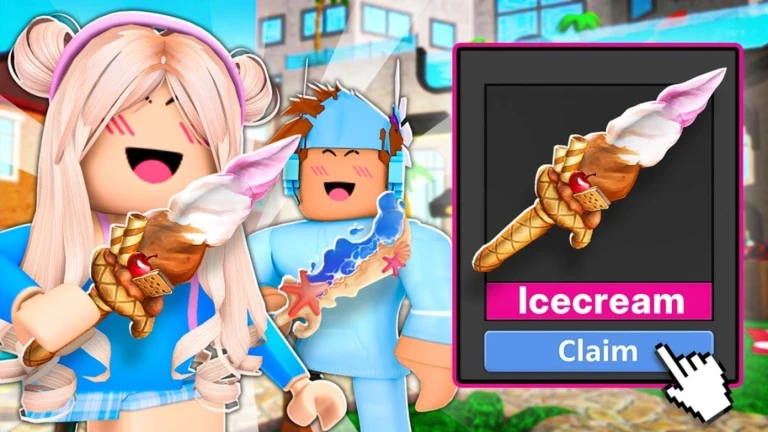
Treat the Icecream claim image as promotion, not a guaranteed reward
The creator-supplied landscape image shows an Icecream-themed item card and a Claim button. This verifies that the creator used that item and claim presentation in current promotional media. It does not prove that every account can claim it, where the button appears, whether the offer is live, what conditions apply, or whether the item has a trade value. If you see the same card in the live client, read the surrounding requirement and capture the before-and-after inventory state before describing the claim as successful. If you do not see it, do not substitute an old code or third-party value list. Promotional art can identify an offer theme without documenting the transaction.
Review the result before starting the next round
At the end, record the result banner, your role, the decisive visible action, and whether an item or currency counter changed. One reviewed clip shows a Victory banner, but it does not define all victory conditions or rewards. Compare your result only with another round from the same current server and role; a different map, role, party, or update may change what the comparison means. If the round ended without explaining why, keep that cause unknown and use the next session to watch the timer and status text more closely. This review loop turns a first match into reliable personal guidance while avoiding unsupported claims about win rates, reward formulas, or optimal strategy.
Know what should trigger a guide refresh
Refresh this guide when the official universe, creator, genre labels, server size, creator media, role card, action prompts, timer, item controls, or result presentation materially changes. A rise or fall in concurrent players, visits, favorites, or video views does not by itself change the first-round task. New role or control claims should be added only when they are bound to this exact place and the transition can be replayed. Old-MMZ code pages and generic MM2 tutorials remain separate evidence even if their wording looks familiar.
What changed across observed Roblox snapshots
This is our own dated history of the same public Roblox fields. It shows observed movement, not a prediction or an explanation for why players moved.
Source: QuestSignal immutable release history · newest five observations shown
What this guide does not assume
This guide verifies the exact nominated identity, creator, official Survival and 1 vs All labels, maximum server size, official promotional image, and bounded current community observations of Sheriff wording, role-specific action prompts, a timer, and a Victory result. It does not certify every role, control, map, weapon, reward, inventory action, code, trade rule, value, or win condition.
Refresh trigger: Refresh when exact identity, creator wording, genre, server size, creator media, or a replayable current capture changes the role card, action prompts, timer, controls, or round result.