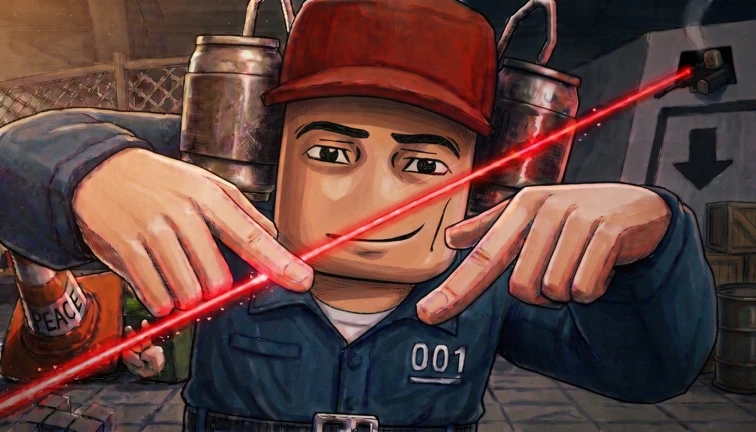
This guide covers Roblox universe 10635348596 from Aura devs studio. The creator describes a collection of party games for 2 to 4 players, test-subject customization, and multiple ways to interfere with friends. Start by confirming the Roblox place and creator, enter with a small group, read the current round briefing before acting, and record the objective, available input, visible danger, and result. The official listing does not publish a permanent minigame roster, controls, matchmaking flow, win formula, salvage rules, product effects, ending, or rewards, so this page never substitutes facts from the separate PC title with the same name.
Confirm the Roblox identity before using any guide
Machine Party is an ambiguous name. This page covers Roblox universe 10635348596, root place 127775478639865, published by Aura devs studio. The official Roblox title currently carries an UPD2 label. A separate PC game uses the same name and dominates many search results; its developers, price, lobby system, achievements, named minigames, modes, controls, and update history are not evidence for this Roblox universe. Before following any step, open the linked Roblox page and compare the creator and place ID. If a guide discusses Steam invites, PC achievements, a fixed fifteen-game roster, or a named mode without binding those claims to this Roblox place, stop and treat it as a different product. Exact identity is the first gameplay decision because it prevents a polished but unusable walkthrough from sending the player into the wrong client.
Prepare around the creator-described 2-to-4-player format
The creator says the party games support 2 to 4 players. Roblox separately exposes a server limit of 32, which describes technical server capacity rather than the intended size of one activity. Do not turn those two numbers into a claim about public matchmaking, spectators, parties per server, or the minimum needed to start. Bring two to four participants if possible, enter through the canonical root place, and use the current client to see how a group forms. Confirm that everyone is in the same activity before readying. If one player cannot join, record the exact visible message and whether the problem occurs before or after the group is formed. The official listing does not publish invite controls, private-server rules, host powers, team selection, or reconnect behavior, so the live prompt remains authoritative.
Read the round briefing before testing controls
A collection of party games changes the task from one round to another. The safest first-session habit is to pause at the briefing and extract four fields: the stated objective, the input or interaction currently offered, the visible danger or failure condition, and the event that ends the round. Write those fields down before moving. Do not assume that the previous round's button, target, safe zone, or timing rule carries into the next one. The official listing confirms that multiple party games exist but does not publish their names or instructions. Current videos show players meeting changing challenges, but they are demand and visual context rather than a permanent rulebook. If the briefing disappears too quickly, use the next attempt to read one missing field instead of copying an unsupported answer from the PC game.
Use an objective-input-danger-result worksheet
After each round, record one compact row: objective shown, action tried, danger observed, result displayed, and adjustment for the next attempt. Keep direct observations separate from explanations. For example, a visible hazard and an elimination are observations; a hidden damage value or universal timing window is an inference unless the client states it. If two players choose different actions, compare outcomes without assuming that one attempt proves a permanent strategy. Party games can vary by server state, update, player count, or round configuration. A useful worksheet helps the group learn the current client while remaining resilient to updates. It also makes troubleshooting specific: the next run can test one variable, such as reading the full prompt, moving later, or confirming the target, rather than changing several behaviors at once.
Treat interference as a live permission, not a universal rule
The creator explicitly advertises multiple devious ways to interfere with friends. That verifies the social premise, not which actions are allowed in every round. Do not assume pushing, attacking, stealing, blocking, targeting, friendly fire, or elimination is available unless the current prompt or interface exposes it. First identify whether the round rewards cooperation, individual survival, racing, or direct opposition. Use only the current interaction and watch how the client reports the result. If an action affects a friend, record the visible consequence instead of assigning an unpublished damage number or cooldown. The most reliable group strategy is communication: state what the round asks, name the danger you can actually see, and distinguish deliberate interference from a connection or input problem.
Customize only from the options visible in this client
The official description confirms that players can customize a test subject. It does not publish the item roster, unlock requirements, rarity, currency, stats, hitbox effects, tradeability, or whether an option is cosmetic. Open the current customization surface and record the exact label, preview, displayed requirement, and whether applying it changes only appearance. Do not import names or cosmetic systems from the PC title or infer a competitive advantage from an image. If a choice appears locked, use the client message to identify the stated requirement; an unlabeled lock remains unknown. A screenshot or personal note can help you restore a preferred look after an update, but this guide does not promise permanence or recommend spending Robux for an undocumented effect.
Separate product labels from proven benefits
Roblox currently exposes four product labels for this universe: Prime, VIP+, VIP, and 2x Salvage. Their official product records do not include descriptions that explain the exact benefits, stacking order, duration, eligible rewards, or whether any purchase is needed to play. A label such as 2x Salvage suggests a category but is not enough to publish a payout formula. Before buying, read the current Roblox purchase screen and any in-game explanation, then compare the promised benefit with the task you cannot complete. Prices and sale state can change, and this page does not provide a best-buy ranking. If the live client gives no explanation, treat the effect as unresolved rather than testing with Robux.
Troubleshoot the session in a fixed order
When a round does not start or an action appears ineffective, check identity first, then group state, current briefing, current input prompt, and visible result. Confirm that all players opened place 127775478639865 rather than a same-name experience. Check whether the intended participants are in the same activity, whether the round is waiting for another state, and whether the interface changed after UPD2. Try one action exactly as shown by the live client and record the message or animation. Do not diagnose a hidden cooldown, level requirement, region lock, paid requirement, or bug without evidence. If the problem persists, preserve the timestamp, device, group size, round context, and visible error so a later update can be compared against the same task.
Refresh this guide only when the player task changes
Refresh the guide when Aura devs studio changes the supported party size, group flow, round briefing, available interactions, interference premise, customization system, or documented product benefits. A title label, CCU change, visit count, favorite count, or new unrelated PC guide does not prove a Roblox gameplay change. Exact minigame names, controls, win conditions, damage, salvage payouts, codes, rewards, endings, and rankings remain held until official text or a replayable current capture binds them to this universe. That boundary keeps the guide useful across updates without pretending that a first-session observation is a permanent specification.
What changed across observed Roblox snapshots
This is our own dated history of the same public Roblox fields. It shows observed movement, not a prediction or an explanation for why players moved.
Source: QuestSignal immutable release history · newest five observations shown
What this guide does not assume
This guide verifies the exact Roblox identity, Aura devs studio creator, Action classification, 32-player server capacity, creator-described 2-to-4-player party format, test-subject customization, friend-interference premise, four current product labels, creator media, and current exact-Roblox gameplay demand. It does not certify the PC game's systems, a Roblox minigame roster, controls, matchmaking, invite flow, win conditions, damage, salvage formulas, product effects, codes, rewards, endings, or rankings.
Refresh trigger: Refresh when official or replayable exact-Roblox evidence materially changes the group flow, round briefings, interactions, customization, interference, product benefits, or troubleshooting task.