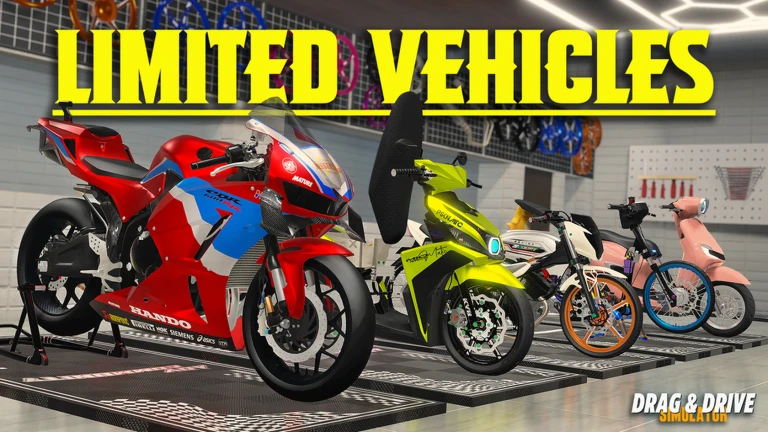
Hold vehicle, route, conditions, and goal steady; change one visible setting; compare the result; repeat before drawing a personal conclusion.
Define what you are testing
Start with one question that the current interface can answer. You might want to know whether a visible setting changes control feel on one route, whether a rim option is cosmetic, or whether a suspension-related choice changes the way your vehicle behaves. The current official update confirms a total rims-type rework and manual input through a text box, while public passes name suspension, paint, accessories, plates, rims, and DragSpec options. Those names establish available categories, not performance effects. Write the question before touching the setup so a visually exciting change does not become an unsupported speed claim.
Keep the vehicle and route fixed
Use the same vehicle for every comparison and choose a short route you can repeat without changing your objective. Avoid mixing a map-learning run, roleplay job, race, and tuning test. Other players, traffic, server conditions, and your own line can introduce noise, so prefer a quiet and repeatable segment when available. The specialist guide’s strongest rule is one vehicle and one route. It does not promise laboratory precision; it gives you enough consistency to notice whether a change deserves another test. If the route cannot be repeated, record that limitation and avoid a hard conclusion.
Change only one visible option
Modify one setting or category at a time. If you change rims, suspension, material, rider, and vehicle together, the result cannot be attributed to any single choice. Record the old and new visible settings exactly as the current UI shows them. Manual input deserves extra care: a text box can accept a value without proving the allowed range, effect, or permanence. Stay within values and controls the game exposes; do not use scripts or hidden commands. If a setting appears cosmetic, say that it looked cosmetic in your test rather than declaring that it never affects performance.
Use an observation sheet instead of fake precision
Record route, server context, vehicle, changed setting, and a short result such as easier to keep on line, no visible change, or needs another run. Do not publish a precise speed or handling number unless the current game shows a stable measurement and you can reproduce it. A single video frame, timer estimate, or showcase caption is not enough for a universal stat. If the game provides an explicit speed display, note it with the exact test conditions and repeat. The goal is a useful personal comparison, not a fabricated specification sheet.
Repeat and challenge your first impression
Run the original setup again after the changed setup. This A-B-A order helps reveal whether familiarity with the route created the improvement. If the result disappears, mark it uncertain. If it repeats, test once more under comparable conditions before applying it to another vehicle. Community gear-ratio or showcase videos can suggest what to test, but their vehicle, build, server, and update may differ. Use them as a question source, not an answer. A result that holds for one vehicle and route should remain scoped to that vehicle, route, and current update.
Turn the result into a safe next decision
If a setting produces a repeatable benefit for your goal, keep it and test the next single variable later. If no visible difference appears, restore the original and save your resources until the game explains the option more clearly. Before buying a pass, open its current Roblox description and confirm what it grants; the pass name alone does not prove value. Re-run the test after a major update, especially when the official description announces a rework. Share the method and conditions with other players, not only the conclusion, so they can reproduce or challenge it.
What changed across observed Roblox snapshots
This is our own dated history of the same public Roblox fields. It shows observed movement, not a prediction or an explanation for why players moved.
Source: QuestSignal immutable release history · newest five observations shown
What this guide does not assume
The official update establishes modification categories and current interfaces, while the reviewed same-game source supplies the controlled-test method. No hidden range, gear ratio, speed, handling coefficient, best vehicle, or pass return is claimed.
Refresh trigger: Refresh after a rims/suspension/modification rework, a vehicle physics update, a pass-description change, or repeatable measured output becomes available from the current build.