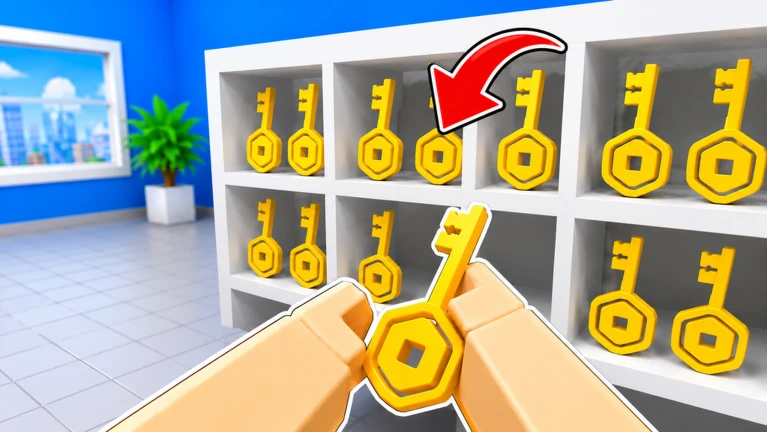
Start by learning pickup/place, inspect, drop, and item switching before chasing a leaderboard time. Use one object as a test: inspect it, record the visible clue, choose a destination the live client accepts, and confirm the result before carrying more. The creator verifies solo and co-op cleanup, timed leaderboards, upgrades, and abilities, but does not publish a permanent location map, sorting table, upgrade cost, or ability effect.
Confirm the exact game before following a route
This guide covers Roblox universe 10541532285 and root place 75202778474171, published by NightSync Studio. The title can be confused with robbery games, bank-cleaning simulators, or unrelated videos, but the official premise here is an item-sorting puzzle inside Global Union Bank. The creator says civil treasures are scattered throughout the bank and players clean the mess by sorting thousands of items. Nothing in that description verifies weapons, vehicles, stealing cash, an inflation system, or a heist economy. Open the official experience from this page, check that the title and creator match, and treat any guide attached to a different place ID as unrelated evidence.
Learn the four controls that drive the loop
On PC, the official listing assigns E or Click to pickup and place, R to inspect, F to drop, number keys to switch the carried item, T to unlock the mouse, and G to use a magic ability. On controller, RT handles pickup and place, RS inspects, LT drops, and Y opens upgrades. Mobile-specific labels are not published in the checked description, so follow the visible touch controls rather than borrowing a keyboard instruction. Practice pickup, inspect, place, and drop with one nearby object first. If a key does not match the current client, record the live label and stop treating this dated control card as authoritative for that action.
Run one item through a complete observation cycle
Choose one visible item and avoid filling every available carry slot immediately. Pick it up, use Inspect, and write down only the clue or label the client actually shows. Look for a destination whose current presentation matches that evidence, then place the item and watch the immediate result. A successful placement, rejection, unchanged counter, or returned object are different outcomes and should not be merged. If the destination is unclear, drop the item in a recoverable location and inspect a second object for comparison. This one-item cycle turns the broad sorting promise into a reproducible task without publishing an unverified item-location table.
Use switching and dropping as recovery tools
The creator explicitly provides number-key switching and a drop action, which suggests that players can manage more than one held selection, but it does not publish capacity, order, persistence, or penalties. When you pick up several objects, keep a short list in the same order shown by the live interface. Switch to the intended object before placing it and confirm the displayed selection. If the wrong object remains active, use Drop rather than guessing at a shelf. A clean recovery step is more useful than a fast mistake because it preserves which clue belonged to which object. Re-test after reconnecting if carried items, order, or placed progress change between sessions.
Separate a completion run from a speed run
Clean The Bank advertises fastest-time leaderboards, but the official source does not define when a timer begins, what ends it, whether solo and co-op times share a board, or how disconnects and late joins are handled. Complete one run for understanding before optimizing. Record the visible start trigger, completion signal, party size, and any timer shown. On the next attempt, change one route decision, such as grouping nearby items or reducing unnecessary switches, while keeping the party and current server state comparable. A lower displayed time under those conditions is a useful personal result; it is not proof of a universal fastest route or leaderboard rule.
Add friends, upgrades, and abilities one variable at a time
The creator confirms that players can clean alone or with friends and can earn upgrades and abilities. It does not publish the upgrade names, prices, unlock order, ability effects, cooldowns, stacking, or co-op scaling. Finish a baseline sorting cycle before activating a new ability or buying an upgrade. Then repeat the same type of task and record the visible difference. In co-op, assign distinct areas or object groups so two players do not duplicate work, but treat that as a coordination method rather than an official optimal strategy. If the live client does not explain what an upgrade changes, keep the effect unknown until a before-and-after run isolates it.
Know when this guide needs a refresh
Refresh the routine when the creator changes the control list, sorting premise, party flow, timer presentation, upgrade menu, ability input, or completion signal. A new visit total, favorite count, like count, or calendar date does not by itself change the player task. Likewise, a video title can show current interest but cannot establish a permanent route or item answer. When the live client conflicts with this page, preserve the exact mismatch, use the current visible rule for the session, and return only after the new flow can be reproduced. That keeps a useful beginner checklist from turning into a confident but stale walkthrough.
What changed across observed Roblox snapshots
This is our own dated history of the same public Roblox fields. It shows observed movement, not a prediction or an explanation for why players moved.
Source: QuestSignal immutable release history · newest five observations shown
Use the dedicated Clean The Bank! site for deeper tasks
QuestSignal keeps discovery and dated history here. The exact-identity specialist site owns deeper game-specific coverage, so we link to it instead of duplicating a thinner version.
What this guide does not assume
This guide uses the official identity, premise, PC and controller controls, solo/co-op statement, leaderboard category, upgrade and ability categories, current creator media, and recent exact-game demand. It does not certify mobile bindings, item locations, destination answers, inventory capacity, penalties, timers, leaderboard rules, upgrade costs or effects, ability effects, codes, or a fastest route.
Refresh trigger: Refresh when the official description, current input labels, inspection or placement flow, timer and completion presentation, party behavior, upgrade menu, or ability interface materially changes.