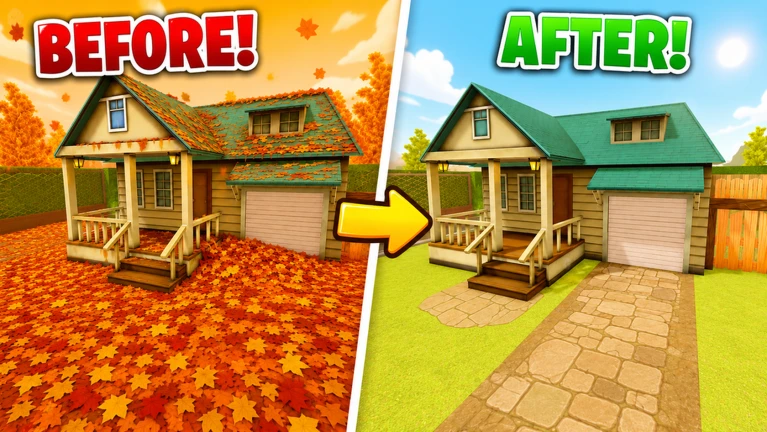
Start by learning how the current hand tool collects leaves, complete one small section while watching the live objective, then inspect the journal before spending. Improve the bottleneck you can actually see—collection capacity, handling, or access to another tool—and test the same section again before pushing into the next unlocked part of the map.
Use the official loop as the first-session map
The current Roblox description gives four reliable anchors: clean all the leaves in time, buy and upgrade tools, unlock new parts of the map, and reach one hundred percent for the Secret Ending. Build the first session around that order. Before collecting anything, identify the live objective, the visible progress or count, the current tool, the next locked boundary, and the journal or upgrade control. The game was updated on August 12, 2026 and has a public NEW MAP event window, so a video or screenshot can age quickly. Your first target is not the fastest possible completion. It is one repeatable cycle that shows what the current server counts, when progress converts into spending power, and which decision becomes available next.
Complete one controlled hand-cleaning test
A reviewed August 15 exact-game guide shows a current session beginning with hand collection inside a leaf-covered yard. Use that only as a dated interface clue. Pick one small, clearly bounded patch and keep the camera steady enough to see whether leaves remain behind. Watch the live count or objective before and after the patch, then note whether collected progress is held, sold, or converted automatically in the current session. Do not copy the captured payout or assume every server uses the same rate. A useful baseline records three things: the starting tool, the visible amount cleared, and the state that changed afterward. If the objective does not move, retest a smaller patch before buying anything.
Read the journal before choosing an upgrade
The reviewed guide currently shows a journal with a Hand section and separate Rake and Leaf Blower areas. Within the Hand surface, labels such as Hold, Dexterity, and Grasp are visible. These names help organize a decision, but the capture does not prove a permanent effect table, cost curve, or best order. Ask what stopped the last test. If you spent time returning or handling a small amount, inspect the capacity-related choice. If collection felt slow despite a clean path, inspect the handling or speed-related description shown in the live journal. If another tool is locked, read its current requirement instead of guessing that more spending alone opens it. Change one upgrade, repeat the same patch, and compare the visible result.
Approach the next area as an unlock test
Roblox verifies that new parts of the map unlock as players progress, but it does not publish a permanent area order, price list, or route. When a gate or boundary displays a requirement, capture the wording and decide whether the current cycle can meet it without abandoning a controlled test. Clear the nearby section first, inspect what changed, and return to the boundary. If it opens, record which visible state preceded the unlock. If it stays closed, do not convert that one failure into a universal requirement; check for an unfinished objective, a journal task, an uncollected result, or another visible condition. The goal is to connect a live requirement to a reproduced action, not to manufacture a map table from one account.
Recover when a run feels too slow
Separate slow progress into four causes. Coverage trouble means leaves remain in corners or behind objects; solve it by shrinking the patch and changing the camera. Capacity trouble means the current tool stops being useful before the patch is clear; inspect the live journal for the relevant option. Route trouble means travel or a locked boundary consumes the session; finish the nearest open section and verify its requirement. Timing trouble means the current objective expires before the loop completes; reduce the attempt to one area and measure which step used the most time. Make only one correction before retrying. Buying every visible option at once may feel productive, but it removes the evidence needed to know what actually improved the run.
Treat rake, blower, classes, and gems cautiously
Official creator media clearly presents both a rake and a leaf blower, and current exact-game videos ask about the blower, classes, upgrades, and gems. That proves recognition and player interest, not a complete mechanic. The reviewed guide also shows a Robux purchase prompt for a one-time blower offer in that recorded session, which must not be confused with every possible unlock path or a permanent recommendation. Use the live journal to determine which tools and options exist for your account today. This guide does not publish class effects, gem earnings, prices, tool stats, or a ranking because the checked evidence does not establish a complete current dataset. If the interface changes, preserve the decision method and discard the captured values.
End with a short progression record
After the first clean-upgrade-unlock cycle, write five lines: the review date, the tool used, the patch or area tested, the visible before-and-after state, and the next unresolved requirement. Add the upgrade name only when the current journal showed it and the repeat test produced a visible difference. This note gives the next session a clean starting point and makes update drift easy to spot. If the map, objective wording, tool set, journal labels, or completion display changes, begin a new record rather than forcing the old route onto the server. The durable strategy is simple: isolate one cleaning task, observe the conversion, change one decision, reproduce the result, and move to the next area only when the live state supports it.
What changed across observed Roblox snapshots
This is our own dated history of the same public Roblox fields. It shows observed movement, not a prediction or an explanation for why players moved.
Source: QuestSignal immutable release history · newest five observations shown
What this guide does not assume
This guide uses the creator-stated timed cleaning, tool purchase and upgrade, map unlock, one-hundred-percent, and Secret Ending premises; official rake, blower, and cooperative media; and a dated reviewed same-game guide showing the current hand, journal, and unlock surfaces. It does not assert permanent costs, payouts, timers, tool order, upgrade effects, area order, class effects, gem formulas, special-leaf locations, codes, fastest routes, or Robux value.
Refresh trigger: Refresh after a material official title or description change, a changed journal or tool set, a different map-unlock flow, replacement creator media, or replayable current evidence that contradicts the clean-upgrade-unlock routine.