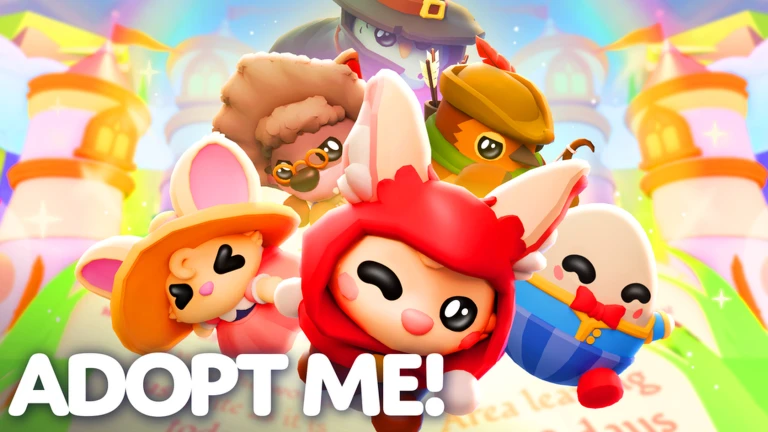
Confirm universe 383310974, choose one pet or egg to raise, and complete only the Needs the live interface shows. Keep actively raised or displayed items in the Backpack and move inactive items into Storage tabs. Treat releasing as a separate, irreversible decision because the creator says released pets become tickets for Basic or Crystal Releaser Eggs but does not publish value equivalence or odds. Before using the Trading Hub, complete its stated access requirements and remember that its imbalance guardrails are explicitly not an official value system.
Confirm the exact experience before following advice
This page covers Adopt Me!, universe 383310974 and root place 920587237, published by verified creator Uplift Games. The current Roblox record calls it an RPG and the creator summarizes six broad activities: adopt, raise, trade, collect pets, build a home, and roleplay. Those categories identify the game but do not validate a pet list, rarity table, value site, code list, Bucks formula, or current event schedule. Check the official title and creator before acting on a trade or release tip, because copied screenshots and similarly named games cannot prove current behavior in this universe.
Start with one visible pet Need
Select one pet or egg and read the Needs currently displayed above it or in the interaction window. The creator's Needs release verifies Potty, Catch, Ride, and Walk categories. It also says Eggs transfer their outstanding Needs to the pet after hatching. Complete one visible request from start to finish, then confirm the request clears before moving to another system. Do not assume every pet receives Needs on the same timer, that every task pays the same amount, or that an old route is still fastest. The live prompt remains the immediate authority for what your pet needs now.
Know when advanced Needs can appear
Uplift's published workflow says the Choose request can begin after 50 total Needs, while specific Hungry, Thirsty, Play, Walk, and Ride item requests can begin after 100. It described specific requests as worth three times the XP and Bucks at publication. Treat those figures as dated creator documentation, not a promise that every current server pays an unchanged amount. If an advanced request appears, capture its exact text, offered choices, item requirement, and completion result. If it does not appear, continue ordinary visible Needs instead of assuming your counter is broken or publishing an unsupported unlock shortcut.
Use the current pet interaction menu deliberately
The creator documents a close-up pet interaction window for Tricks, dress-up, riding or flying, and Needs. It also records a fallback under Settings, Gameplay, Advanced Pet Menu for players who prefer the older bubble menu. Menu labels can change, so verify the current setting before writing platform-specific steps. Friends and family may see nearby pet Needs, while the release notes distinguish baby behavior from pet behavior. This guide does not infer touch targets, controller bindings, family permissions, or the ownership requirements for ride and fly actions; follow the controls displayed on the active device.
Split Backpack and Storage by active use
The August 2026 Storage update establishes a second item space outside the Backpack, moving items in either direction, multi-select transfers, and as many as 25 named tabs with Journal icons. Begin with a simple rule: keep the pet and supplies used in the current session in Backpack, then move items you are not using into one clearly named Storage tab. Test with one non-critical item before moving a large selection. Storage is organization, not deletion. Record whether the item appears in the destination and whether the active pet remains accessible before reorganizing hundreds of items.
Choose trade visibility instead of exposing everything
The same update says Storage can be accessed while trading and that another player can be allowed to view the Storage inventory. Visibility is therefore a choice, not proof that every stored item is automatically offered. Name tabs around the task, such as actively trading or long-term collection, and review the visible selection before opening it to another player. The source does not state that Storage prevents scams, verifies ownership history, or calculates fair value. Never treat a tab name, an item count, or another player's offer as an official appraisal. Cancel and review whenever the offered items differ from the intended trade.
Separate organizing from releasing
Storage moves an item; the Releaser converts selected pets into tickets used on Basic or Crystal Releaser Eggs. Those are different decisions. The current creator post names Kiwi Kiwi and Strawberry Tortle as Legendary pets associated with the refreshed eggs, but does not publish per-pet ticket yields, egg prices, hatch odds, pity, value equivalence, or a guarantee. Before releasing anything, verify the live pet identity, selection count, ticket result preview, and confirmation text. Do not release a pet simply because it is inactive or stored. Organization should come first so accidental candidates are easier to notice.
Treat Trading Hub access as a readiness checklist
The July 2026 creator notes name three prerequisites: unlock a free Trading Phone in the Guide by playing for two hours, unlock the Trade License in the Safety Hub, and own a first Neon pet. Once those conditions are met, the Phone summons a hot-air balloon to the Trading Hub. Use the live Guide and Safety Hub to verify completion rather than relying on an old screenshot. This page does not provide shortcuts for playtime, license questions, Neon creation, or access bugs because those flows require current first-hand captures. Preserve the unmet prerequisite shown by the game if access fails.
Post and review a listing without inventing value
Robo Todd's creator-documented flow lets a player choose an offer and a requested return, charges 100 Bucks per listing, allows two active listings, and exposes incoming offers or modifications. Robo Rob searches listings and may show similar offers when an exact match is absent. Listed or offered pets are locked until the listing or offer is removed. Most importantly, Uplift says the imbalance guardrails are not a genuine value system and do not make every allowed trade equal. Review identities and quantities yourself, keep values and rankings outside this guide, and remove a listing before trying to equip or modify a locked pet.
Refresh this guide only when tasks change
Update this guide when Uplift or a replayable exact-game capture changes pet Needs, advanced thresholds, interaction menus, Storage transfer or tab behavior, trade visibility, Releaser inputs and outputs, Trading Hub access, listing limits, costs, or locking. CCU, visits, favorites, a new video, or a calendar change are demand and counter observations rather than semantic triggers. Pet values, egg odds, full inventories, event calendars, codes, aging formulas, and fastest-money claims remain separate held research tasks until current source evidence and a reproducible workflow exist.
What changed across observed Roblox snapshots
This is our own dated history of the same public Roblox fields. It shows observed movement, not a prediction or an explanation for why players moved.
Source: QuestSignal immutable release history · newest five observations shown
What this guide does not assume
This guide verifies exact identity, broad creator-stated activities, published Needs categories and thresholds, Backpack Storage movement and tabs, Releaser ticket-and-egg categories, and Trading Hub access and listing behavior. It does not certify current pet values, inventories, rarity, egg odds, payouts, aging time, codes, trade fairness, controls, or an optimal money route.
Refresh trigger: Refresh when creator-owned current sources or replayable exact-game evidence materially changes pet Needs, Storage, Releaser, or Trading Hub workflows.